
Home › Resources › Checklists › eCommerce CRO Checklist
The eCommerce CRO Checklist to Run Before You Buy a Testing Tool
Forty checks across product page, basket, checkout, trust and measurement, ordered by where revenue usually leaks first. Most stores find enough in the first two sections to keep a development queue busy for a quarter, and none of it requires a testing platform.
CHECKS
40 checks
TIME TO RUN
Half a day
LAST UPDATED
September 2026
LEVEL
Marketers & owners

Walk the journey as a customer on your own phone before you open any analytics.
- Before you start
Buy the journey before you audit it
The single most useful hour in conversion work is spent buying something from your own store, on your own phone, paying with a real card.
Do it before you open analytics, because analytics tells you where people leave and almost never tells you why. Complete a full purchase — including a return, if your category has them — and write down every moment you hesitated. That list usually predicts half of what follows.
- A real purchase on a phone, on mobile data rather than office wifi
- Analytics with funnel reporting from product view to order
- Session recordings or heatmaps if you already have them, not if you do not
- Your last three months of support tickets and delivery complaints
- The return reasons, if your platform records them
Support tickets are the most underrated conversion research available, and you already own them. Customers tell you exactly what confused them, in their own words, for free.

The checks below are ordered by where money usually leaks, not by how easy they are to fix.
SECTION 01
9 checks
Product page
More conversion is won and lost here than anywhere else, because this is where a visitor decides whether the thing is right for them. Everything downstream is logistics.

The product page has to answer the questions that stop somebody buying, in the order they ask them.
Check the primary image communicates scale and context, not just the product
A product photographed alone on white tells a shopper nothing about size, which is the most common pre-purchase doubt in most categories.
Confirm the price, delivery cost and delivery date are all visible without scrolling
Hiding any of the three moves the objection later in the journey, where it is more expensive to lose.
Check that the specification a buyer needs is present, not just marketing copy
Dimensions, materials, compatibility and capacity decide purchases in most categories, and are frequently buried below the fold or missing entirely.
Verify variant selection makes the unavailable options obvious
Letting somebody select a size you cannot ship, then failing at the basket, is the most avoidable abandonment there is.
Look at where reviews sit and whether the negative ones are visible
Suppressing critical reviews reduces trust rather than increasing it. Shoppers look for them specifically.
Check whether the page answers your top three support questions
If your inbox asks the same question four hundred times a year, that answer belongs on the page rather than in a reply.
Confirm the add-to-basket action is unambiguous on a phone
Sticky bars, hidden buttons and low-contrast secondary actions cost more on mobile than any copy change will recover.
Check returns and exchange terms are stated near the buying decision
A generous policy that nobody sees is money spent on nothing.
Review load behaviour on a mid-range phone
A page that scores well in a lab and stalls on a three-year-old Android is losing the half of your traffic that matters most.
WORTH KNOWING
The nine elements that repeatedly move conversion on product pages, and four that usually do not, are covered in the product page standard.
SECTION 02
8 checks
Basket and cart
Almost nobody designs the basket. It is usually whatever the theme shipped with, which is why it is often the cheapest place to find a real gain.

The basket is where a shopper reconsiders. Most stores treat it as a receipt.
Check the delivery cost and date are confirmed in the basket, not estimated
The basket is the last comfortable place to state the total. After this, surprises become abandonment.
Verify quantity, variant and removal controls work without a page reload
Every reload is an opportunity to leave, and on mobile it frequently loses the shopper’s place.
Check whether progress toward a free delivery threshold is shown
When the threshold is close, saying so lifts average order value more reliably than most upsell widgets.
Look at what the basket recommends, and whether it is relevant
Irrelevant cross-sells at this point read as noise and delay the decision the shopper has already made.
Confirm a returning visitor’s basket persists across devices
Research on a phone and purchase on a laptop is normal behaviour. Losing the basket between them loses the order.
Check discount code entry does not send people looking for a code
A prominent empty field is an invitation to open a new tab, and many of those tabs never come back.
Verify stock and price changes since adding are communicated clearly
Silent changes discovered at payment destroy trust at the worst possible moment.
Check the route from basket to checkout is a single obvious action
Two competing buttons of equal weight is a decision the shopper should not have to make.
WORTH KNOWING
If your abandoned basket recovery programme is doing the work the basket itself should do, you are paying to email people about a problem you could fix once.
SECTION 03
9 checks
Checkout
By checkout the shopper has decided. Everything here is about not getting in their way, which means removing steps, fields and surprises rather than adding persuasion.
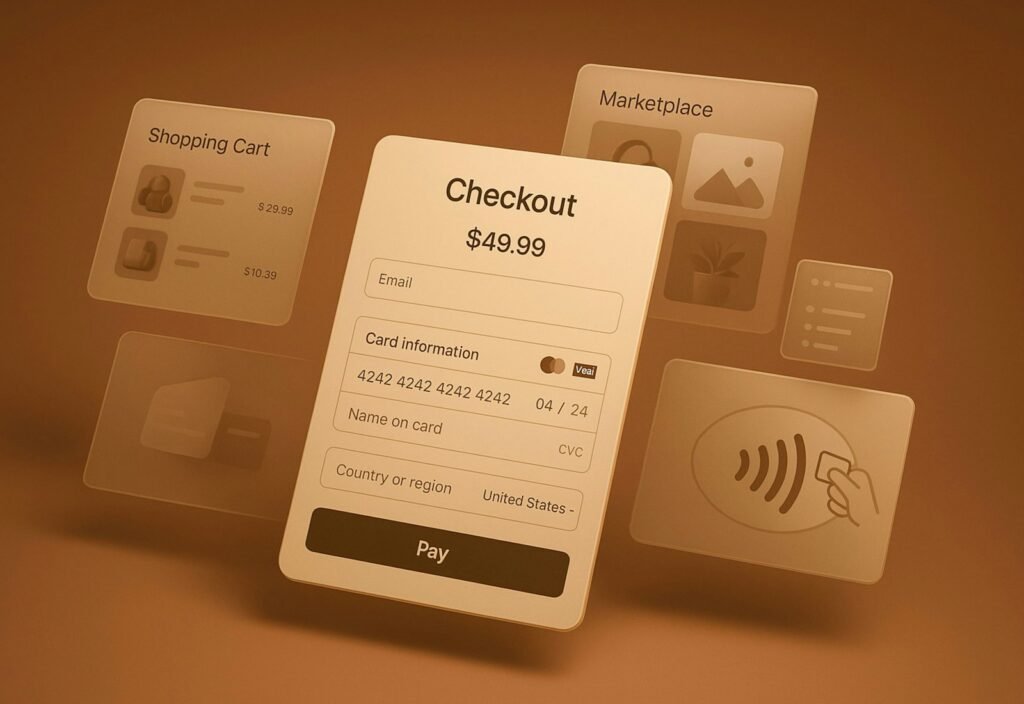
Checkout is the most measurable part of the journey and the least forgiving.
Count the fields and remove every one you do not genuinely need
Company name, title, second address line and phone number are collected reflexively and rarely used.
Check guest checkout exists and is not visually subordinate to registration
Forcing account creation is still the most common self-inflicted checkout wound in eCommerce.
Verify address lookup works and can be overridden
Lookup speeds most people up and traps the ones with unusual addresses. Both need to work.
Test payment failure behaviour with a declined card
Most teams have never seen their own decline path. Some of them lose the basket entirely.
Check which wallets are offered and how prominently
Accelerated payment methods remove the typing that causes mobile abandonment, and their placement matters as much as their presence.
Confirm error messages say what is wrong and how to fix it
A red field with no explanation is the most common reason a shopper gives up at the final step.
Look for anything that navigates the shopper away mid-checkout
Links to terms, delivery information or support that open in the same tab lose people who never return.
Check the total is visible at every step
Shoppers want to verify the number before committing. Hiding it invites them to go back and check.
Verify the confirmation page sets accurate expectations
What happens next, and when, prevents the support contact that costs more than the margin on the order.
WORTH KNOWING
Checkout changes are the easiest to measure and the easiest to break. Change one thing at a time here, even if you are not running a formal test.
SECTION 04
8 checks
Trust, mobile and speed
These checks cut across the journey. They rarely produce a single dramatic win and they consistently produce a broad one.

Trust signals work when they are specific. Generic badges do very little.
Check that contact details are findable in under five seconds
A store with no visible way to reach a human converts worse, particularly at higher order values.
Look for specific trust signals rather than generic badges
A named returns window, a real phone number and genuine reviews outperform a wall of security icons.
Complete the whole journey one-handed on a phone
Tap targets, sticky headers that eat the screen and forms that trigger the wrong keyboard are only visible this way.
Measure real-world speed on product and checkout templates
Field data, not a lab score. The templates that matter are the ones carrying money.
Check how the site behaves on a slow or intermittent connection
Most stores are tested on office wifi and used on a train.
Verify the cookie or consent banner does not obstruct the buy action
A banner covering the add-to-basket button on mobile is a conversion problem disguised as compliance.
Check accessibility basics: contrast, focus states, form labels
It is an obligation, and it also happens to fix usability problems that affect everybody.
Review what a first-time visitor sees above the fold on the homepage
If it does not say what you sell and who you sell it to, the rest of the journey starts at a disadvantage.
WORTH KNOWING
Trust work is difficult to A/B test because the effect is diffuse and slow. That is an argument for doing it, not for skipping it.
SECTION 05
6 checks
Measurement, before any testing
The last section is the one to complete before buying anything. Testing on unreliable data is worse than not testing, because it converts uncertainty into false confidence.

A testing tool on top of broken measurement produces confident wrong answers.
Confirm the funnel is tracked end to end and the numbers reconcile with orders
If analytics and the platform disagree on order count, every conversion rate you calculate is wrong.
Check conversion rate is segmented by device at minimum
A blended rate hides the mobile problem that is usually the whole story.
Calculate your realistic test capacity from current traffic
Most stores cannot reach significance on a product page test in under a month. Knowing that changes what you should do instead.
Check returns are visible in your conversion reporting
A conversion that comes back is not a conversion, and in some categories it is a loss.
Verify you can measure revenue per session, not only conversion rate
Changes that raise conversion and lower order value are common, and invisible if you only watch one number.
Agree what evidence would change your mind before you start
Written down in advance, this is the difference between research and confirming what somebody already wanted to do.
WORTH KNOWING
If your traffic cannot support testing, that is not a failure. It means you should be fixing the things on this checklist that are obviously broken, which does not require statistical significance.
- Common mistakes
What teams usually get wrong with conversion work
Three patterns account for most of the conversion budget we see wasted.
Testing before fixing
A store with a broken mobile checkout does not need an A/B testing programme, it needs the checkout fixed. Testing is for questions where reasonable people disagree, not for things that are plainly wrong.
Optimising the wrong page
Homepage redesigns are visible, satisfying and rarely the constraint. The money is almost always on product pages, basket and checkout, where intent is highest.
Reading conversion rate alone
Conversion rate can rise while revenue falls, and frequently does when discounting is involved. Revenue per session, net of returns, is the number that decides whether the change was worth making.
The fastest conversion gain available to most stores is stating delivery cost and date earlier. It requires no testing tool and no redesign.
- What to fix first
Ranking the findings
A rough sequencing guide for a store with no previous conversion work.
Finding
Revenue impact
Effort
Delivery cost or date revealed late
Very high
Low
Forced account creation at checkout
Very high
Low
Unclear or broken mobile add-to-basket
High
Low
Unhelpful errors or decline handling
High
Medium
Missing specification or sizing information
High
High
Excess checkout fields
Medium
Low
Analytics that do not reconcile with orders
Medium
Medium
Generic trust badges instead of specifics
Low
Low
Homepage redesign
Low
Very high
Impact and effort are judgements rather than measurements, and they change with category and order value. Use this as a starting order, not a formula.
- Next steps
What to do with what you found
Four routes, depending on how much of the work you intend to run yourself.
01
ON PRODUCT PAGES
Nine elements that repeatedly move conversion, and four that get attention without earning it.
02
ON ABANDONED BASKETS
What to send, when, and why most recovery programmes are paid to fix a basket problem.
03
IF YOU WANT IT RUN FOR YOU
Research-led testing across product, basket and checkout, sequenced so results are readable.
04
IF YOU WANT A SECOND OPINION
We run this checklist and eleven other disciplines against your store, ranked by revenue impact.
- Questions
eCommerce CRO checklist FAQs
What people ask while working through it.
Do I need a testing tool to use this?
No, and that is deliberate. Most of these checks identify things that are plainly wrong rather than things that need proving. Buy a testing platform when you have exhausted the obvious problems and have enough traffic to reach significance, not before.
How much traffic do I need before A/B testing is worth it?
It depends on your baseline conversion rate and the size of effect you are looking for, but most stores below a few thousand orders a month cannot run product page tests to significance in a sensible timeframe. Section five covers how to work out your own number.
What is a good eCommerce conversion rate?
The question is less useful than it sounds, because the number varies enormously by category, price point, traffic mix and device. Your own trend, segmented by device and traffic source, tells you more than any published benchmark, and it is the comparison you can actually act on.
Should I fix the homepage first?
Almost never. Homepage work is the most visible and least commercially significant conversion project available. Product pages, basket and checkout carry the intent, and that is where the checklist starts.
How long does this take to run?
About half a day, plus an hour beforehand buying something from your own store on a phone. The purchase is the part people skip and the part that produces the most findings.
We already send abandoned basket emails. Is that enough?
Recovery email is worth having, but it is treatment rather than cure. If the basket abandons because delivery cost appears late, you are paying to email people about a problem you could fix once. Fix the cause, keep the programme.
Does this apply to marketplaces as well?
Partly. Marketplace listings have their own constraints and far less control, which is why the Amazon listing checklist covers that separately.
Can you run this on our store?
Yes. The free eCommerce audit includes the conversion review alongside SEO, paid media, retention and marketplace health, with findings ranked by revenue impact. You keep them either way.
- Keep reading
Related resources
Where to go next, depending on which section produced the most failures.

CHECKLIST
The traffic counterpart: forty-two checks across indexation, architecture, product pages and content.

INSIGHT
What a recovery programme should contain, and which basket problems it should never be asked to solve.

INSIGHT
How conversion work fits alongside traffic, retention and margin when you are deciding where to spend.
Not sure which of these is costing you the most?
A free eCommerce audit puts your own numbers against every check on this page, plus SEO, paid media, retention and marketplace health, and ranks the findings by revenue impact.