
Home › Resources › Checklists › eCommerce SEO Checklist
The eCommerce SEO Checklist We Run Before Recommending Any Work
Forty-two checks in five sections, in the order that finds the expensive problems first. It is platform-agnostic, it assumes you have access to the store and to Search Console, and it is written so that a marketer rather than an engineer can work through most of it.
CHECKS
42 checks
TIME TO RUN
Half a day
LAST UPDATED
September 2026
LEVEL
Marketers & owners

Run this against the live store with the analytics open, not from memory.
- Before you start
What you need open in front of you
This takes about half a day on a store of a few hundred products. It takes considerably longer if you have to go looking for access halfway through.
Everything in this checklist can be answered from three places: the live storefront, Google Search Console and your analytics. You do not need a paid crawler for most of it, though one makes the technical section faster on a large catalogue.
- Admin access to the store, including theme or template settings
- Google Search Console, with at least three months of data
- Analytics with landing page and revenue reporting
- A crawler if the catalogue runs to thousands of URLs
- A spreadsheet to record what fails, because you will not remember
Work in order. The sections are sequenced so that later fixes do not undo earlier ones — there is no point writing category copy for pages that turn out to be blocked from indexing.
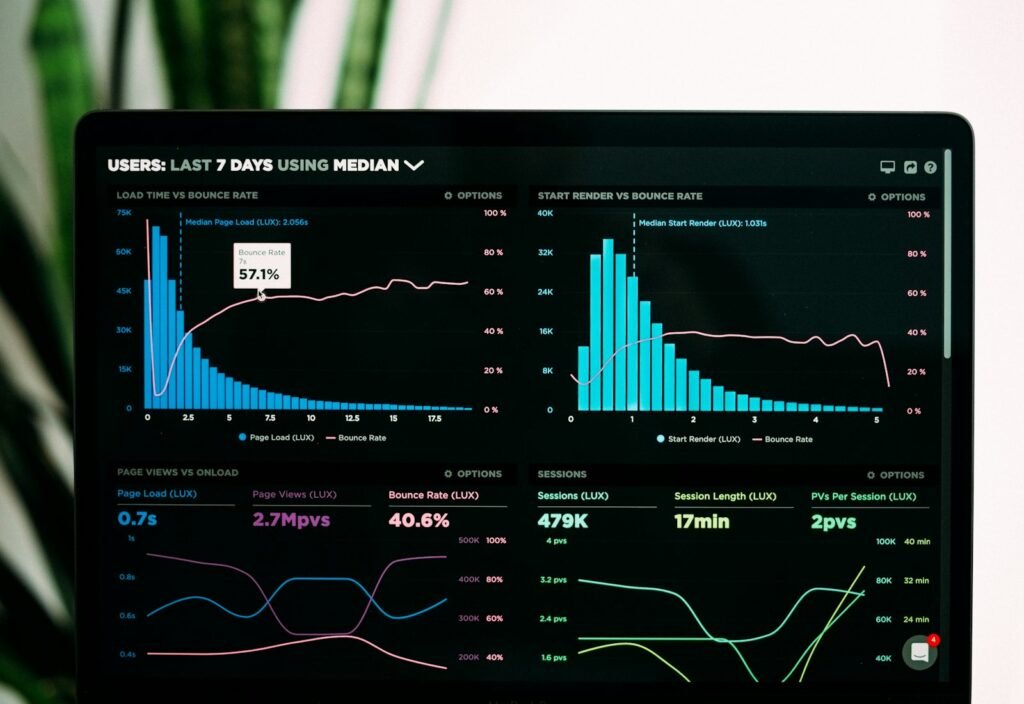
Search Console and the live store answer most of the forty-two checks between them.
SECTION 01
9 checks
Indexation and crawl
Every SEO problem that looks complicated is worth checking against this section first. A store that has accidentally blocked its own category pages does not have a content problem.
Start here. Nothing else in the checklist matters on a page search engines cannot reach.
Confirm the site is indexable at all
A staging password, a leftover noindex header or a blocked robots.txt will flatten everything below it. Check the live response headers, not the settings screen.
Compare indexed pages against pages you want indexed
Search Console’s page indexing report tells you both numbers. A large gap in either direction is the single most useful signal on this list.
Check what is indexed that should not be
Internal search results, filtered variants, tag archives and cart URLs bloat the index and dilute crawl budget on large catalogues.
Verify the XML sitemap lists only canonical, indexable URLs
A sitemap full of redirects, 404s and noindexed pages teaches search engines to trust it less.
Check that out-of-stock and discontinued products are handled deliberately
Deleting them silently throws away earned authority. Decide between keeping, redirecting or retiring, and apply it consistently.
Look for paginated series that block crawling of deep products
If products only exist on page nine of a collection, they are effectively invisible. Check how deep the catalogue actually goes.
Confirm faceted navigation is not generating infinite URLs
Filter combinations multiply fast. Check whether filtered URLs are crawlable, and whether you meant them to be.
Check canonical tags resolve to a live, indexable version of the page
Self-referencing canonicals are usually right. Canonicals pointing at redirects, parameters or dead URLs are a common and quiet failure.
Review the last three months of crawl stats for errors
A rising server error rate during crawl is a hosting problem wearing an SEO costume.
STOP HERE IF
If this section fails badly, stop the checklist and fix it. Everything from here down assumes search engines can reach and index the pages you care about.
SECTION 02
9 checks
Site architecture and category pages
Category pages are where eCommerce SEO is usually won and almost always neglected. They match how people search — by need and attribute rather than by product name — and they are the pages most stores leave empty.

Category pages carry most commercial search demand and receive the least attention in most stores.
Map your categories against how people actually search
Your internal merchandising structure and your customers’ search language are rarely the same. Search Console query data will show you the difference.
Check every important category has a crawlable, linked landing page
Categories reachable only through a JavaScript menu, or only from a filter, do not accumulate authority.
Give each category page unique introductory copy that serves the shopper
Two hundred words that help somebody choose beats eight hundred written for a crawler, and it is the difference between a page that ranks and one that exists.
Check for cannibalisation between categories and subcategories
If two pages target the same intent, one of them will win inconsistently and both will underperform. Decide which page owns which query.
Review URL depth from the homepage to a typical product
Three clicks is healthy. Six means the deep catalogue is barely crawled and rarely ranked.
Check that high-demand filters have indexable landing pages
Colour, size, material and price bands often carry real demand. Some deserve a real page; most do not. Decide, rather than defaulting.
Verify breadcrumbs exist and are marked up
They help both the shopper and the crawler understand where a page sits, and they appear in results.
Check internal links point to canonical category URLs
Menus that link to parameterised or redirecting versions leak the value they were supposed to pass.
Confirm category titles and headings match search intent, not internal jargon
The heading a merchandiser wants and the phrase a customer types are often different words for the same thing.
WORTH KNOWING
Our article on why category pages are the most undervalued asset in eCommerce SEO works through this section’s reasoning in full.
SECTION 03
9 checks
Product pages
Most stores have thousands of product pages and a handful that earn traffic. The checks here are about making the catalogue legible rather than optimising individual pages one at a time.

Product pages have to satisfy a search engine and close a sale in the same screen.
Check how much product copy is supplier-provided and duplicated
If your description also appears on forty other stores, you are asking search engines to pick between identical pages. They will not pick yours.
Confirm product titles include the terms people search, not only the SKU name
Internal product names rarely match demand. The gap is usually visible in Search Console within a week.
Check variant handling: one page or many, and canonicals to match
Colour and size variants split authority when handled badly and hide demand when collapsed too aggressively.
Verify product schema is present and accurate
Price, availability and review markup affect how the result appears, and inaccurate markup is worse than none.
Confirm reviews are rendered in HTML, not injected in a way crawlers miss
Review content is often the only unique text on a product page. Losing it to a third-party widget is a common own goal.
Check images have descriptive filenames and alt text
Image search is a real acquisition channel in visual categories, and alt text is an accessibility obligation regardless.
Look for orphaned products with no internal links
A product reachable only from search or a sitemap is a product nobody is recommending.
Check that specification data is complete and consistent
Attributes power filters, comparison and increasingly AI summaries. Gaps here quietly limit every other channel.
Confirm related and cross-sell links are crawlable
They are the internal linking layer most stores already have and never audit.
WORTH KNOWING
Nine specific elements are covered in the product page standard, which is the conversion counterpart to this section.
SECTION 04
8 checks
Technical health and performance
On a hosted platform much of this is already handled. The checks still matter, because the exceptions are where the damage concentrates — usually in a theme customisation or an app that nobody has reviewed since it was installed.

Most technical SEO on a modern platform is verification rather than engineering.
Measure Core Web Vitals from field data, not a lab test
Search Console reports what real visitors experienced. A perfect lab score on a fast connection proves very little.
Check mobile rendering of category and product templates
Indexing is mobile-first. If content is collapsed, deferred or dropped on mobile, that is the version being judged.
Audit third-party scripts and apps for weight
Each app adds script. The cumulative cost is rarely measured and is frequently the largest single performance problem.
Verify HTTPS everywhere, with no mixed content
Basic, and still broken on a surprising number of stores after a theme change.
Check redirect chains and loops from historic migrations
Every hop loses a little and adds latency. Chains three deep usually mean two migrations nobody reconciled.
Confirm hreflang is correct if you serve multiple markets
Wrong or missing hreflang sends the German page to British shoppers and wastes the localisation you paid for.
Look for soft 404s and thin pages returning 200
Empty categories and discontinued products that still render a page teach search engines the site is unreliable.
Check JavaScript-rendered content is actually in the rendered HTML
Use the URL inspection tool and read the rendered output. Content that only appears after interaction is content that does not count.
WORTH KNOWING
Technical work is the easiest part of SEO to over-invest in. Fix what is broken, then go back to the category and product sections, where the revenue is.
SECTION 05
7 checks
Content, internal linking and authority
The last section is the one that compounds. It is also the one most stores skip, because it produces results on a slower clock than the rest of the checklist.
Check whether any content exists that answers pre-purchase questions
Buying guides, comparisons and sizing content capture demand that product pages cannot, and feed internal links to the categories that convert.
Audit internal links from content to commercial pages
Published articles that link to nothing are a missed opportunity repeated across the whole blog.
Look for pages competing with each other on the same intent
Cannibalisation is most common between a category, a guide and an old blog post nobody remembers writing.
Check the backlink profile for lost links after a migration
Links pointing at URLs that now 404 are recoverable value sitting in plain sight.
Confirm brand and product names resolve correctly in search
If your own brand queries return a marketplace listing or a reseller first, that is a real problem with a real cost.
Review whether product information is legible to AI assistants
Structured, specific product data is increasingly what gets cited when assistants answer buying questions.
Check whether seasonal or campaign pages are reused or recreated annually
Recreating them each year throws away the authority the last one earned. Keep one URL and update it.
WORTH KNOWING
On getting cited by assistants, this article covers what the current evidence actually supports and what it does not.
- Common mistakes
What teams usually get wrong with this checklist
Three failure modes account for most of the wasted effort we see after a store runs an SEO audit.
Treating it as a scorecard
Forty-two green ticks is not the goal. A store can pass every technical check and still rank for nothing, because the categories are empty and the product copy came from the supplier. Weight the findings, do not count them.
Starting with the technical section
It is the most satisfying to fix and usually the least valuable. Teams spend a quarter on performance work while the category pages that carry the commercial demand stay untouched.
Fixing everything at once
Change forty things in a week and you will never know which one worked, or which one caused the drop. Sequence the work and leave enough time between releases to read the result.
If you only act on one section this quarter, make it architecture and category pages. That is where the commercial search demand actually sits.
- What to fix first
Ranking the findings
A rough guide to sequencing, assuming a store of a few hundred products with no previous SEO work.
Finding
Revenue impact
Effort
Important pages blocked from indexing
Very high
Low
Category pages with no unique content
High
Medium
Duplicated supplier product copy on key lines
High
High
Canonical or variant handling errors
High
Low
Missing or wrong product schema
Medium
Low
Redirect chains from an old migration
Medium
Low
Slow templates from accumulated app scripts
Medium
Medium
No pre-purchase content at all
Medium
High
Image filenames and alt text
Low
Medium
Impact and effort are judgements rather than measurements, and they change with catalogue size. Use this as a starting order, not a formula.
- Next steps
What to do with what you found
Each of these picks up at a different point, depending on how much of the work you intend to do yourself.
01
TO GO DEEPER
Eight chapters on the constraints that apply on Shopify specifically, most of which generalise to other platforms.
02
ON CATEGORY PAGES
The reasoning behind section two, with the demand data that makes the case internally.
03
IF YOU WANT IT RUN FOR YOU
Architecture, content and technical work delivered against a plan rather than a checklist.
04
IF YOU WANT A SECOND OPINION
We run this checklist and eleven other disciplines against your store, and rank everything by revenue impact.
- Questions
eCommerce SEO checklist FAQs
What people ask while working through it.
How long does this actually take?
About half a day on a store of a few hundred products if you have access to everything before you start. A catalogue in the tens of thousands takes longer, mostly in the indexation and architecture sections, and benefits from a crawler.
Do I need paid tools?
No. Google Search Console and your analytics answer most of it. A crawler saves real time on large catalogues and a rank tracker helps you read the result afterwards, but neither is required to complete the checklist.
Does this work for Shopify, WooCommerce and the others?
Yes, it is written to be platform-agnostic. Where a platform makes a check impossible — Shopify’s fixed URL structures, for example — the constraint is covered in the Shopify SEO guide rather than here.
What if I fail most of the checks?
That is the normal result on a store that has never been audited. It is also good news, because it means the gains are available cheaply. Use the priority table above and start at the top rather than working through your findings in the order you found them.
How long before fixes show up in rankings?
Indexation fixes can move within days. Content and architecture changes typically take six to twelve weeks to settle, longer on a large catalogue. Anyone promising faster than that on organic search is describing an advertising outcome.
Should I fix everything before publishing new content?
No. Fix indexation first, because it gates everything, then run content and technical work in parallel. Waiting for a perfect technical baseline before writing anything is how stores lose a year.
How often should this be re-run?
Twice a year for most stores, and after any migration, replatform or major theme change. The indexation section is worth re-running monthly, because it is quick and it catches accidents early.
Can you run it on our store?
Yes. The free eCommerce audit covers this checklist plus paid media, conversion, retention and marketplace health, with every finding ranked by revenue impact. You keep the findings either way.
- Keep reading
Related resources
Where to go next, depending on which section produced the most failures.

GUIDE
Eight chapters on URL structure, collections, technical SEO and measurement for Shopify stores.

INSIGHT
Why the pages carrying the most commercial demand are the ones most stores leave empty.

CHECKLIST
The conversion counterpart: what to check on product pages, basket and checkout once the traffic arrives.
Want this run against your store instead?
A free eCommerce audit covers every check on this page plus paid media, conversion, retention and marketplace health, ranked by revenue impact. You keep the findings whether or not you work with us.