
The Complete Guide to Shopify SEO
Shopify makes a set of decisions about URLs, duplication and templates before you write a word. This guide covers what those decisions are, which ones you can change, which you cannot, and where the effort actually pays — in other words, how to do SEO for Shopify rather than in spite of it.
CHAPTERS
8 chapters
READING TIME
32 min read
LAST UPDATED
5 September 2026
LEVEL
Intermediate

Most Shopify SEO work is merchandising and data work. Very little of it happens in a plugin.
EXECUTIVE SUMMARY
What this guide argues, in five points
Shopify SEO is mostly not a Shopify problem. It is a demand-mapping and merchandising problem that Shopify’s URL structure and templating make either easier or harder. The platform decides a few things for you; the rest is yours, and the rest is where the revenue is.
- Collection pages, not product pages, carry the commercial search demand — and Shopify’s default collection template is close to empty.
- Shopify creates duplicate product URLs by design. Handle canonicals and internal linking deliberately or you dilute every product page you have.
- Faceted collection URLs are the largest untapped opportunity and the largest crawl-waste risk on the same platform. Decide per facet, never globally.
- Most Shopify speed problems are apps and theme code rather than Shopify. Measure the product template on a mid-range phone, not the home page in a lab.
- Measure at template level against non-branded landings. Total organic sessions hide everything that matters.
Everything below is the detail behind those five points, in the order we work through them when we take over a Shopify store.
- Contents
Eight chapters
Read it in order the first time. After that, the chapter index is the useful part of this Shopify SEO guide.
01
Shopify’s routing is fixed in ways that matter. Knowing which parts you cannot change stops you spending a quarter trying.
4 min
02
If you do one thing from this guide, do this one. On most Shopify stores the collection layer is where the commercial search demand lands and where the least work has been done.
5 min
03
Shopify generates duplicate product URLs as a feature. Left alone it is usually harmless; left alone while you also link inconsistently, it is not.
5 min
04
Shopify handles a great deal for you. What it does not handle is what your theme and your apps do to the page after Shopify has served it.
5 min
05
Shopify gives you a navigation menu and a product grid. Neither is a link architecture, and the gap between them is where most Shopify stores lose the long tail.
4 min
06
Markup does not persuade anything to rank you. It removes the ambiguity that stops you being shown well.
4 min
07
Shopify Markets makes selling internationally straightforward and makes international SEO easier to get subtly wrong.
3 min
08
Organic sessions is the wrong number. It moves for a dozen reasons, most of which have nothing to do with the work you did.
4 min
- Before you start
Who this guide is for
Written for people who own the outcome on a Shopify store, whether or not they do the work themselves.
Founders and heads of eCommerce
You are deciding where the next quarter of effort goes and want to know which parts of Shopify SEO are real and which are sold to you.
In-house Shopify merchandisers
You control collections, product data and the theme, and want a defensible order of work rather than a list of forty recommendations.
Marketers inheriting a Shopify store
You have taken over a store somebody else built and need to know what it is doing to you before you change anything.
NOT WRITTEN FOR
People looking for a plugin that does SEO. There is not one, on Shopify or anywhere else. The work in this guide is merchandising, product data and theme work — most of it done by a person who understands the catalogue, not by an app.
CHAPTERS
- 01 How Shopify’s URL structure shapes everything
- 02 Collection pages: the layer that carries the demand
- 03 Product pages: templates, duplication and thin content
- 04 Technical foundations that actually matter on Shopify
- 05 Site architecture and internal linking
- 06 Structured data and rich results
- 07 International and multi-currency Shopify SEO
- 08 Measuring Shopify SEO properly
CHAPTER 01
4 min
How Shopify’s URL structure shapes everything
Shopify’s routing is fixed in ways that matter. Knowing which parts you cannot change stops you spending a quarter trying. If you have not committed to Shopify yet, our comparison of the best eCommerce platform for SEO shows exactly which of these constraints other platforms do not have.
Shopify enforces prefixes on every URL type. You can change the handle at the end; you cannot remove the prefix in front of it. This is the single most common thing Shopify merchants are sold a fix for, and it is almost never worth buying.
URL pattern
What it is
What you control
/products/handle
The canonical product URL
The handle. The prefix is fixed.
/collections/handle
A collection or category page
The handle. The prefix is fixed.
/collections/x/products/y
A product viewed inside a collection
Nothing — but it canonicalises to /products/ by default
/collections/x/tag
A tag-filtered collection
Whether it is indexable. This is the important one.
/pages/handle
A static page
The handle. The prefix is fixed.
/blogs/blog/article
An article
Both handles. The /blogs/ prefix is fixed.
The prefixes are not a ranking problem. Time spent trying to remove them is time not spent on the collection layer, which is.
KEY TAKEAWAY
You cannot flatten Shopify URLs. You can decide which of the URLs Shopify generates are allowed to be indexed — and that decision is worth far more than the prefix ever was.
The one URL rule worth enforcing
Handles are effectively permanent. Changing one breaks every link pointing at it, and Shopify’s automatic redirect only covers the change you make in admin — not the third-party links, the old feeds or the printed collateral.
- Do not change handles casually. A better keyword in the URL is worth far less than the links already pointing at the old one.
- If you must change one, create the redirect first and check it resolves in one hop, not two.
- Keep handles short and human. Two or three words. Season codes, SKU fragments and stop words earn nothing.
CHAPTER 02
5 min
Collection pages: the layer that carries the demand
If you do one thing from this guide, do this one. On most Shopify stores the collection layer is where the commercial search demand lands and where the least work has been done, which makes Shopify collection page SEO the highest-return chapter here.
A product competes for the handful of people searching for that exact item. A collection competes for everyone still deciding, which is almost everyone. Shopify’s default collection template gives you a title, a product grid and nothing else — which is to say it gives search engines almost nothing to work with.
The fix is not more words under the grid. It is a page that answers the question the searcher arrived with, in a structure a machine can read.

The collection grid is the page most shoppers actually land on from search, and the page most stores have never edited.
What a collection page needs
1
An H1 that matches demand, not your merchandising tree. Internally the collection may be “SS26 Outerwear”. Nobody searches that. The heading belongs to the customer.
2
A short orienting paragraph above the grid. Two sentences telling the visitor they are in the right place, and what the range covers.
3
Substantive buying guidance below the grid. The decision the shopper is making — materials, sizing, compatibility, use case. This is the part that earns links.
4
Links to the narrower collections that deserve their own page. Most Shopify collections link downward into products and nowhere sideways, which strands the long tail.
5
The question your support inbox already answers. Sizing, care, delivery, compatibility. If it sends people to a search engine, it belongs on the page.
Merchandising affects this indirectly but powerfully. A collection sorted so that the first row is out of stock will underperform regardless of how good the copy is, because the page fails the visitor before the copy is read.
CHAPTER 03
5 min
Product pages: templates, duplication and thin content
Shopify generates duplicate product URLs as a feature. Left alone it is usually harmless; left alone while you also link inconsistently, it is not. Shopify product page SEO starts with picking one canonical path and linking only to it.
Every product on Shopify is reachable at both /products/handle and /collections/x/products/handle. Shopify canonicalises the second to the first by default, which handles the indexation question. What it does not handle is your internal linking: if your collection grid links to the long form, every internal link you have is pointing at a URL that is not the canonical one.

Product content is where thin templates show up fastest — particularly on stores that scaled the catalogue without revisiting the template.
The duplication Shopify creates for you
Source
What happens
What to do
Collection product URLs
Same product on many URLs
Confirm the canonical, then link internally to /products/ only
Variant URLs
?variant= parameters indexed
Canonical to the parent product; do not build separate pages per variant
Vendor and type pages
Auto-generated, often thin
Index only where there is genuine demand and stock depth
Search results pages
Infinite, thin, crawlable
Block from indexing without exception
Supplier-written descriptions
Identical text across many stores
Rewrite the top revenue decile first, not alphabetically
None of these are emergencies on a small catalogue. All of them are on a catalogue of several thousand SKUs.
Thin descriptions at scale
1
Rank your catalogue by revenue and rewrite the top decile. Alphabetical rewriting is how these projects die.
2
Write the specification block first, then the prose. The specification is what gets quoted, compared and cited; the prose is what makes it readable.
3
Answer the objection the product actually has. Fit, compatibility, what is in the box, what it does not do.
4
Leave the rest on supplier copy until the first decile is done and measured. Doing this properly for two hundred products beats doing it badly for four thousand.
If rewriting the top revenue decile is not something the team has time for, that work sits inside our organic search engagements.
CHAPTER 04
5 min
Technical foundations that actually matter on Shopify
Shopify handles a great deal for you. What it does not handle is what your theme and your apps do to the page after Shopify has served it.
Hosting, SSL, sitemaps and basic crawlability are managed by the platform, and worrying about them is wasted effort. Almost every technical problem we find on a Shopify store traces back to one of two places: the theme, or an app that injects script into every page whether or not that page uses it.

The audit that matters is of your theme and your installed apps, not of Shopify.
1
Audit installed apps against pages that use them. A review app loading on the checkout, a bundling app loading on the blog. Uninstalling is not enough — check the theme for leftover script tags.
2
Measure the product template, on a mid-range phone, on a real network. Not the home page, not on a laptop. The product template is where your revenue and your traffic meet.
3
Fix the largest contentful paint element first. On most Shopify themes it is the main product image or the hero. Everything else is second.
4
Serve images at the size they render. Shopify’s image CDN will do this for you if the theme asks it to; many themes do not.
5
Check what renders without JavaScript. If your reviews, variant data or collection descriptions only exist after a script runs, treat them as invisible until proven otherwise.
6
Keep third-party tags on a leash. Tag managers accumulate. Audit the container twice a year and delete what nobody can name an owner for.
Product
template, not home page
The page that carries both traffic and revenue
Mid-range
phone, real network
The only measurement that reflects your actual traffic
LCP first
then everything else
Usually the main product image on a Shopify theme
Working rules from the Shopify stores we manage rather than published platform guidance.
KEY TAKEAWAY
If a technical recommendation does not name the theme file or the app that causes the problem, it is not actionable. “Improve site speed” has never fixed anything.
CHAPTER 05
4 min
Site architecture and internal linking
Shopify gives you a navigation menu and a product grid. Neither is a link architecture, and the gap between them is where most Shopify stores lose the long tail.
The default shape of a Shopify store is a shallow tree: home, a handful of collections in the menu, and several thousand products hanging off them. Everything not in the menu is reachable only by pagination, which means the pages you most want to grow are the pages hardest to reach.
1
Link sideways between sibling collections where a shopper would plausibly cross over. Running shoes to trail shoes; dining chairs to dining tables.
2
Link from articles into collections using the phrase people search, rather than into the home page or a single product.
3
Link from your highest-traffic product pages back up to the collection, so the page that earns the demand also receives the authority.
4
Give sub-collections a real route in. If a filtered collection deserves to rank, it deserves a link from somewhere other than a filter widget.
Link direction
Where it comes from
What it does
Down
Collection to product
Shopify does this for you, by default
Up
Product to parent collection
Rarely present; concentrates authority where demand lands
Sideways
Collection to sibling collection
Almost never present; opens the long tail
In
Article to collection
The main job your blog should be doing
Three of these four directions are yours to build. Only the first is automatic.
CHAPTER 06
4 min
Structured data and rich results
Markup does not persuade anything to rank you. It removes the ambiguity that stops you being shown well.
Most Shopify themes ship with some product markup, and most of it is incomplete. The value is not in adding more types — it is in making the types you already have complete, accurate and consistent with what the page actually says.
Type
Where it belongs
What it earns
Product
Product template
Price, availability and review signals in results
BreadcrumbList
Every template
Hierarchy shown instead of a raw URL
Organization
Site-wide
Brand entity, logo and profile consolidation
FAQPage
Collection and article pages, where real
Expanded results — only where the questions are genuine
ItemList
Collection template
Helps a machine read the grid as a set
Add nothing that is not visible on the page. Markup describing content a visitor cannot see is a manual action waiting to happen.
- Duplicate markup is the usual Shopify bug. Theme plus review app plus SEO app all emitting Product schema is three conflicting answers to one question.
- Keep price and availability in sync. Stale structured data is worse than none; it teaches search engines your data cannot be trusted.
- Do not mark up review counts you do not have. This is the single most common cause of Shopify rich-result penalties we see.
CHAPTER 07
3 min
International and multi-currency Shopify SEO
Shopify Markets makes selling internationally straightforward and makes international SEO easier to get subtly wrong.
The mistake is treating currency and language as the same decision. A visitor in Ireland may want euros and English; a visitor in Quebec may want Canadian dollars and French. Markets lets you separate those; your URL and hreflang setup has to reflect the separation.
1
Decide the URL model before the first market goes live. Subfolders per market are the workable default on Shopify; changing this later is a migration, not a setting.
2
Let Shopify emit hreflang and then verify it. Every alternate must be reciprocal and self-referencing, and a single missing return tag invalidates the cluster.
3
Do not redirect by IP. Offer the switch, remember the choice, and let both the visitor and the crawler reach every version.
4
Translate the collection layer first. Machine-translated product descriptions rank poorly; a properly translated collection page with buying guidance carries a market on its own.
KEY TAKEAWAY
International SEO fails on the URL model far more often than on the translation. Settle the model before the first market, because the second market is when it becomes expensive.
CHAPTER 08
4 min
Measuring Shopify SEO properly
Organic sessions is the wrong number. It moves for a dozen reasons, most of which have nothing to do with the work you did.
The measurement problem on Shopify is that branded search, paid traffic and email all land on the same templates. A report that does not separate them will credit your SEO programme for a good email month and blame it for a bad one.
- Report non-branded landings by template. Collection, product, article. Three lines that each mean something, instead of one that means nothing.
- Track pages, not keyword positions. A collection page winning ten mid-tail terms matters more than a rank on one.
- Pair traffic with contribution, not revenue. Organic traffic to a low-margin collection is not the win the revenue line suggests.
- Give architecture work a quarter. Crawling, re-indexing and a full demand cycle have to happen before the number means anything.
EXPERT VIEW
“When a Shopify store tells us its blog is not converting, the problem is almost always that the blog is ranking for terms the collection pages should own, and the collections are ranking for nothing at all.”
Dazzle Commerce · Organic search team
- Worked examples
Three decisions, before and after
Real shapes of the three decisions that come up on almost every Shopify store we take over.
COLLECTION HEADING
Merchandising name to demand
Before
H1: “SS26 Outerwear Drop”
Title tag: “SS26 Outerwear Drop | Brand”
After
H1: “Women’s Waterproof Jackets”
Title tag: “Women’s Waterproof Jackets | Brand”
The internal season code carries no demand. The collection still merchandises the drop; it just stops describing itself in a language only the buying team speaks.
INTERNAL LINKING
Linking to the non-canonical product URL
Before
Grid links to /collections/jackets/products/alpine-shell
After
Grid links to /products/alpine-shell
Shopify canonicalises the long form correctly, but every internal link was still pointing at a URL that is not the canonical one. A one-line theme change moves the whole catalogue’s internal links onto the canonical.
FACETED URLS
Indexing every filter, or none
Before
All /collections/x/tag URLs indexable, including price and sort
After
Category plus attribute indexed where demand and stock exist; price, sort and multi-facet blocked
Indexing everything wastes crawl budget on thin duplicates. Indexing nothing throws away the most commercially valuable pages on the store. The decision is per facet.
Anonymised from Shopify stores we manage. The shapes recur; the specifics will not match your catalogue exactly.
- Take these with you
Three checklists
Written to be worked through rather than read. Nothing here needs an app.
Foundations
Do these once, properly, before anything else.
- Search Console and Analytics verified, with branded and non-branded split
- Canonical tags confirmed on product and collection templates
- Internal links pointing at /products/ rather than the collection form
- Search results pages blocked from indexing
- Duplicate Product schema from theme and apps resolved to one source
- Redirects in place for every handle changed in the last year
Every collection page
Run this on the top twenty collections by revenue. The meta description generator will draft the description line for each of them.
- H1 matches how customers phrase the category, not the merchandising tree
- Short orienting paragraph above the grid
- Buying guidance below the grid that answers a real decision
- Links out to the narrower collections that deserve their own page
- First row of the grid is in stock
- Title tag and meta description written, not generated from the handle
Technical, quarterly
Fifteen minutes, four times a year.
- Installed apps audited against the pages that actually use them
- Product template measured on a mid-range phone on a real network
- LCP element identified and still the thing you expect
- Tag manager container reviewed, unowned tags removed
- Structured data validated on product, collection and article templates
- Crawl stats checked for budget going to filters and search pages
Copy these into your own tracker. There is no download form and no email wall.
- Frameworks
Two frameworks worth keeping
The two decisions that come up repeatedly, written down so they stop being reargued.
FRAMEWORK ONE
The facet decision table
Faceted collection URLs are simultaneously the biggest opportunity and the biggest crawl-waste risk on Shopify. Indexing all of them and indexing none of them are both wrong. Decide per facet against three tests: is there demand, is there stock depth, and is there something to say on the page?
Facet combination
Index it?
Why
Collection + attribute
Yes, where demand exists
Matches how people search and stays stable over time
Collection + brand
Usually
High commercial intent, genuinely different product set
Collection + two attributes
Selectively
Only where search volume and stock depth both justify it
Collection + price band
No
Volatile, thin, and rarely how a search is phrased
Collection + sort order
Never
Same products in a different order — a duplicate by definition
Anything you do not index still needs a canonical and a crawl directive. Undecided facets are where crawl budget quietly disappears.
Applies to Shopify tag URLs and to any filtering app that generates its own parameters.
FRAMEWORK TWO
The Shopify SEO priority order
When everything is broken, the order matters more than the list. Each step assumes the one above it has cleared, because work at step five is wasted while step one is wrong.
1
Measurement integrity. Branded and non-branded separated, templates reportable. Without this you cannot tell whether anything worked.
2
Indexation control. Decide what may be indexed — facets, search pages, vendor pages, variants. This is where crawl budget is won.
3
The collection layer. Top twenty collections by revenue rebuilt against the checklist above. The largest single source of upside on most stores.
4
Internal linking. Up, sideways and in. Three directions that are yours to build and usually absent.
5
Product content. Top revenue decile rewritten, specifications complete.
6
Technical performance. Theme and apps, measured on the product template. Compounds across everything above.
International sits outside this order. If you are opening a market, settle the URL model before step one.
- In summary
Key takeaways
Eight sentences you could hand to somebody who is not going to read the guide.
1
Shopify’s URL prefixes cannot be changed and do not need to be. What you can change is which generated URLs are allowed to be indexed.
2
Collection pages carry the commercial demand. Product pages convert it. Optimising only the second means paying for traffic you could have earned.
3
Shopify canonicalises duplicate product URLs correctly, but your theme may still link internally to the non-canonical form.
4
Decide facet indexation per facet. Indexing everything and indexing nothing are both expensive mistakes.
5
Rewrite product content by revenue rank, never alphabetically. Two hundred pages done properly beats four thousand done badly.
6
Technical problems on Shopify are almost always the theme or an app. Measure the product template on a mid-range phone.
7
Structured data should be complete and singular. Duplicate Product schema from theme plus apps is the most common Shopify markup bug.
8
Report non-branded landings by template and pair them with contribution. Total organic sessions hides everything that matters.
If you want a single first action: open your top three collection pages and read them as a customer who has never heard of you.
- Go deeper
Where this work sits in the practice
Three services that pick up the chapters above.
Demand mapping, collection architecture, technical SEO and content built around commercial intent.
Merchandising, catalogue, theme and marketing run as one Shopify programme.
Theme work, app rationalisation and the performance improvements chapter four depends on.
- Keep reading
Related guides
The rest of the guide library, all published in full.
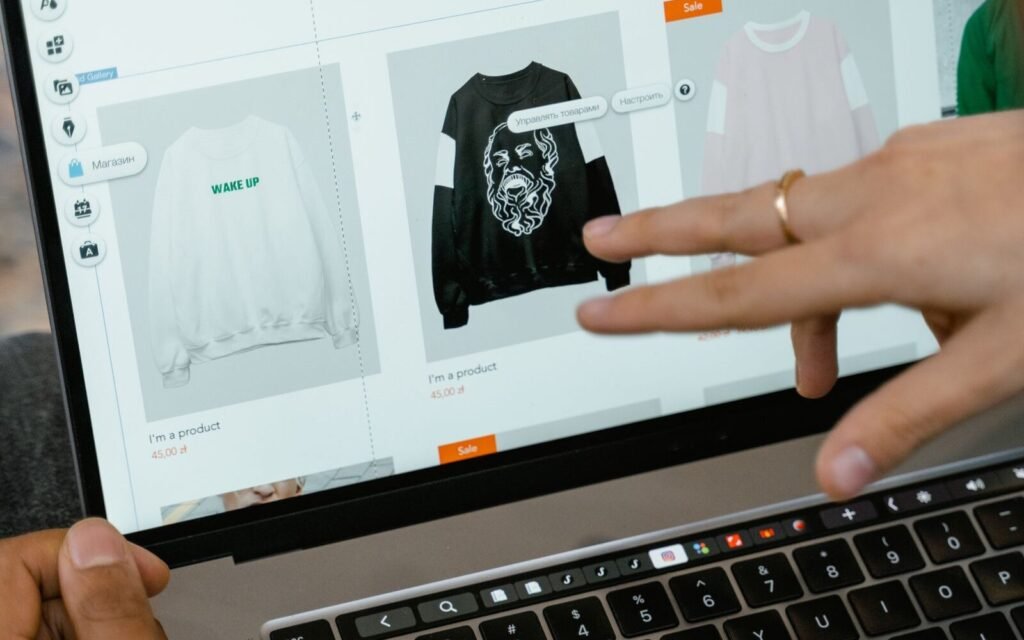
Complete guide · 38 min
The platform-agnostic version: the same decisions, without the Shopify-specific mechanics.

Complete guide · 37 min
Where organic search sits in the wider mix, and how to tell whether it is your constraint.
Short guide · 8 min
What has to be true on the page once your collections start sending traffic to it.
Want this run on your store rather than read about it?
Our organic search engagements open by mapping demand to your collection layer and auditing the eight chapters above against your theme.