
Home › Resources › Checklists › Amazon Listing Checklist
The Amazon Listing Checklist to Run Before You Advertise
Thirty-eight checks across catalogue data, copy, imagery, keywords and conversion readiness. Advertising a listing that cannot convert is the most expensive mistake available on the channel, and it is the one we correct most often when we take over an account.
CHECKS
38 checks
TIME TO RUN
Two hours per listing
LAST UPDATED
September 2026
LEVEL
Sellers & brand teams

Run this on your best-selling listing first. The findings usually apply across the catalogue.
- Before you start
Fix the listing, then buy the traffic
Every pound of advertising spend is multiplied by the listing’s conversion rate. Improving the listing improves the return on every campaign you will ever run against it.
Run this on one listing end to end before applying it across a catalogue. Most of what you find on your best seller will be true of everything else, and fixing it once teaches you what to look for at scale.
- Seller Central access, including the listing quality and account health pages
- Brand Registry, if you have it, for the content and protection tools it unlocks
- Your category’s style guide, because requirements differ by category
- The last ninety days of advertising and organic sales data
- Your return reasons, which predict most of what the listing fails to explain
Amazon’s requirements vary by category and change over time. Where this checklist says to verify something against the category style guide rather than quoting a number, that is deliberate.

Listing quality decides what advertising costs you. It is the cheapest lever on the channel.
SECTION 01
8 checks
Catalogue data and compliance
This is the unglamorous section and the one that causes the most damage when it is wrong. Data errors here surface later as suppressed listings, wrong-item returns and advertising that cannot run.

Catalogue accuracy decides what can be advertised, what ranks and what comes back as a return.
Check the listing is not suppressed or missing required attributes
A suppressed listing is invisible and still accrues advertising eligibility problems. Seller Central flags these, and nobody reads the flag.
Verify the product is in the right category and browse node
The wrong node puts you in front of the wrong shoppers and excludes you from the filters your real buyers use.
Confirm the variation family reflects genuine product differences
Merging different products under one parent inherits reviews from items nobody bought, and is a leading cause of returns.
Check every required and recommended attribute is populated
Attributes drive filters, comparison modules and increasingly the answers assistants give. Blank fields quietly remove you from consideration.
Verify dimensions and weight match the physical product
These determine fulfilment fees. An error here is a margin leak that repeats on every unit shipped.
Check compliance documentation for regulated categories
Supplements, cosmetics, electronics and children’s products all have category requirements that will take a listing down without warning.
Confirm the brand name field is correct and consistent
Inconsistent brand values fragment your brand store, your reporting and your protection tools.
Review whether any other seller is listed against your ASIN
Unauthorised sellers affect the buy box, the price and the customer experience you are judged on.
STOP HERE IF
If a listing fails this section, stop. Content and advertising work on a listing with broken data is effort spent on something Amazon may suppress next week.
SECTION 02
8 checks
Title, bullets and description
Most listing copy is written either for the algorithm or for the brand, and rarely for the person deciding whether to buy. The checks here are about serving both without sacrificing either.

Listing copy has to satisfy a search algorithm and a sceptical shopper in the same few lines.
Check the title leads with what the product is, not the brand
Shoppers scan for the product. A title that opens with three brand words wastes the only line most people read.
Verify the title follows your category’s style guide and length limit
Limits and formatting rules differ by category and are enforced inconsistently, which is why they are worth checking rather than assuming.
Confirm the first bullet answers the main purchase question
On mobile, the first two bullets are frequently all that is read before the fold.
Check bullets state benefits with the specification that proves them
Long lasting means nothing. Long lasting because it holds 4,000mAh means something and is verifiable.
Remove keyword stuffing from bullets
It reads badly to shoppers, and repeated terms add nothing to indexing once the term is present.
Verify the description or A+ content answers the top return reasons
Your return reasons are a free list of the things the listing failed to explain clearly enough.
Check sizing, compatibility or fit information is explicit
In apparel, parts and accessories this single factor drives most avoidable returns.
Confirm no prohibited claims or competitor references appear
Medical claims, guarantees and comparisons to named competitors are a common cause of takedown.
WORTH KNOWING
Write the bullets for somebody deciding between you and the listing above you. That framing produces better copy than any keyword density target.
SECTION 03
7 checks
Imagery and enhanced content
Shoppers swipe before they read. Image sets that only show the product on white are leaving the questions that stop a purchase entirely unanswered.

Images do more conversion work than copy on almost every Amazon listing.
Check the main image meets Amazon’s requirements exactly
Pure white background, product filling the frame, no text or props. Non-compliance risks suppression regardless of how good the image looks.
Verify image resolution supports zoom
Zoom materially affects conversion in considered categories, and it only activates above a minimum resolution.
Confirm the set includes scale and in-use context
Size is the most common unanswered question, and one image of the product in a hand or a room answers it better than a paragraph.
Check at least one image carries the key specification as text
Infographic-style images are read by people who never scroll to the bullets, which is most mobile shoppers.
Verify what the image set looks like at thumbnail size on a phone
Most of your shoppers see a small square first. Detail that disappears at that size is decoration.
Check A+ content is present if you have Brand Registry
It replaces the plain description, supports comparison modules and is one of the few genuinely free conversion levers available.
Confirm video is present where the category rewards it
Demonstrable products, assembly and anything where use is unclear convert better with video, and competitors in most categories still do not have one.
WORTH KNOWING
If you have budget for one improvement on a listing, spend it on the image set before the copy. It is read by everybody, including the people who never read.
SECTION 04
8 checks
Keywords and indexing
This section is about being eligible to appear at all. Ranking is a separate problem, and one that advertising and sales velocity solve rather than copy.

Indexing is binary. A listing either appears for a term or it does not.
Build the keyword set from Amazon search data, not from your website SEO
Shoppers search differently on a marketplace than on Google. Reusing your web keyword list imports the wrong assumptions.
Check the listing actually indexes for your priority terms
Search the exact phrase plus your ASIN. If it does not return, you are not indexed, regardless of where the term appears.
Verify back-end search terms are used without repetition
Repeating words already in the title adds nothing and consumes a limited field.
Include common misspellings and alternative names in back-end terms only
They belong where shoppers cannot see them, not in copy people read.
Check for terms you rank for that you had not targeted
Search term reports frequently reveal demand the listing was never written for, and it is usually the cheapest growth available.
Confirm the listing is not competing with your own other ASINs
Internal competition on the same term splits sales history and makes both listings rank worse than one would.
Review whether the title covers the primary term naturally
The title still carries the most indexing weight, and it has to read like a product name rather than a keyword list.
Check localisation for each marketplace you sell in
Translated listings that ignore how the local market searches perform badly, and the fix is research rather than translation.
WORTH KNOWING
Being indexed is necessary and not sufficient. Once you are indexed, rank is driven by conversion and sales velocity, which is why the rest of this checklist matters more than this section.
SECTION 05
7 checks
Conversion, reviews and readiness to advertise
The final section is the gate. If a listing fails these checks, advertising will convert your budget into data about why the listing does not work.
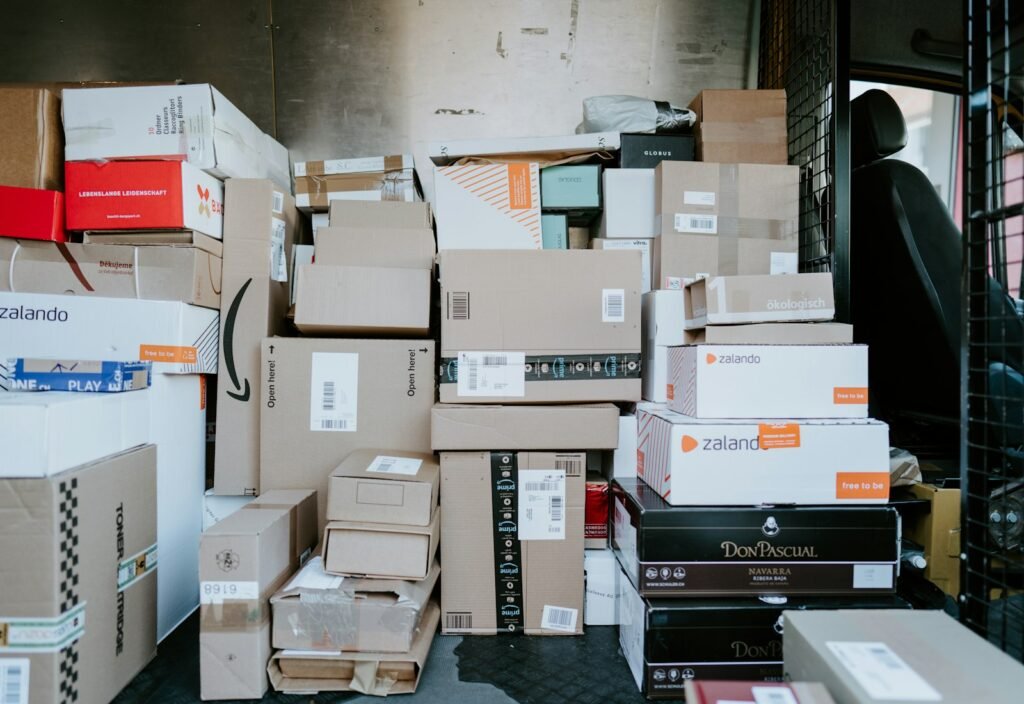
Advertising multiplies whatever the listing already does. Check what it already does first.
Check the conversion rate against your own category average
Your other listings are the most useful comparison you have. A listing converting at half the rate of its siblings has a listing problem, not a traffic problem.
Verify the buy box is yours the overwhelming majority of the time
Advertising traffic to a listing where somebody else holds the buy box sends your budget to another seller.
Review review count and rating against the listings you compete with
Below roughly fifteen reviews, or under four stars, advertising is usually premature in competitive categories.
Read the critical reviews and fix what they describe
They are the most specific product and listing feedback you will ever receive, and they are free.
Confirm pricing is competitive against the visible alternatives
Shoppers compare on the results page. Being twenty per cent above the row without a visible reason costs conversion before anyone reaches your listing.
Check stock cover supports the campaign you are about to run
Going out of stock mid-campaign loses rank, wastes spend and takes weeks to recover.
Calculate break-even ACoS before setting any budget
Without it you cannot tell a successful campaign from an expensive one, and most accounts we inherit have never done this calculation.
WORTH KNOWING
How to bring advertising cost down on a listing that already converts is covered in cutting Amazon ACoS with campaign architecture.
- Common mistakes
What sellers usually get wrong
Three patterns account for most of the wasted spend we find when taking over an Amazon account.
Advertising before the listing is ready
Spend multiplies whatever conversion rate the listing already has. On a listing converting badly, advertising buys you an expensive education. Fix the listing first; the same budget then works considerably harder.
Porting website copy directly
Marketplace shoppers search and read differently, the format is constrained, and your brand voice matters less than answering the question that stops the purchase. Copy written for a product page rarely survives the move unchanged.
Treating listing work as a one-off
Categories change, competitors improve their images, and requirements move. A listing optimised two years ago and never revisited is competing against listings that were revisited.
The single most common finding: a listing with excellent copy, weak images, and advertising running behind it.
- What to fix first
Ranking the findings
A rough sequencing guide for a listing that has never been audited.
Finding
Revenue impact
Effort
Listing suppressed or missing required attributes
Very high
Low
Buy box lost to another seller
Very high
Medium
Main image non-compliant or weak
High
Medium
Not indexed for priority terms
High
Low
No scale or in-use imagery
High
Medium
Break-even ACoS never calculated
High
Low
Variation family built incorrectly
Medium
High
No A+ content despite Brand Registry
Medium
Medium
Back-end search terms repetitive
Low
Low
Impact and effort are judgements rather than measurements, and they change with category and price point. Use this as a starting order, not a formula.
- Next steps
What to do with what you found
Four routes, depending on whether the problem is the listing, the advertising or the channel choice.
01
ON ADVERTISING COST
How campaign architecture brings advertising cost down on listings that already convert.
02
ON CHANNEL CHOICE
Whether your effort belongs on Amazon at all, compared on demand, fees and operational load.
03
IF YOU WANT IT RUN FOR YOU
Listing optimisation, advertising, account health and inventory planning under one team.
04
IF YOU WANT A SECOND OPINION
We review your listings, advertising and account health alongside the rest of your channels.
- Questions
Amazon listing checklist FAQs
What sellers ask while working through it.
How long does this take per listing?
About two hours the first time, considerably less afterwards. Run it fully on one listing before applying it across a catalogue, because most of what you find on your best seller repeats everywhere else.
Do I need Brand Registry to use this checklist?
No, though several checks are easier with it. Brand Registry unlocks A+ content, better protection tools and more reporting, so if you own the brand and have not enrolled, that is worth doing before the content work.
How do I know whether my listing is indexed for a keyword?
Search the exact phrase together with your ASIN in the marketplace you are checking. If your listing returns, it is indexed for that phrase; if it does not, no amount of repeating the term in copy will change the result.
Should I fix the copy or the images first?
Images, in almost every category. Shoppers swipe before they read, and image improvements reach the people who never scroll to the bullets. Copy work matters, and it matters to a smaller share of the audience.
When is a listing ready to advertise?
When it is indexed, holds the buy box, has enough reviews to be credible in its category, and you have calculated break-even ACoS. Advertising before that converts budget into data rather than into orders.
Why does Amazon keep changing the requirements?
Requirements differ by category and are revised regularly, which is why this checklist points you at your category style guide rather than quoting numbers that would be wrong within a year. Re-check the guide before any bulk listing change.
Does this apply to Walmart, eBay or the regional marketplaces?
The structure does, and much of the thinking transfers. The specifics do not: each marketplace has its own attributes, image rules and content tools. Marketplace management covers running several at once.
Can you audit our listings for us?
Yes. The free eCommerce audit includes marketplace health alongside your store, with findings ranked by revenue impact. You keep them whether or not you work with us.
- Keep reading
Related resources
Where to go next, depending on what the checklist found.

COMPARISON
Whether your next unit of effort belongs on Amazon at all, compared on demand, fees and operational load.

CHECKLIST
The equivalent work on your own store, where you control considerably more of the outcome.

CHECKLIST
Conversion checks for your own product pages, basket and checkout, where marketplace constraints do not apply.
Advertising a listing that is not ready?
A free eCommerce audit reviews your listings, advertising and account health alongside the rest of your channels, and tells you which listings are worth spending on first.