
Home › Resources › Guides › Comparisons › Shopify vs WooCommerce
Shopify vs WooCommerce: which platform should you actually build on?
Both platforms can run a serious eCommerce business. They fail in different places, cost money in different places, and suit different teams. This comparison sets them side by side on the eight things that decide whether you will still be happy with the choice in three years.
COMPARED ON
8 dimensions
READING TIME
15 min read
LAST UPDATED
September 2026
WRITTEN FOR
Founders & marketers

The right platform is the one your team can actually operate without a developer on standby.
THE SHORT ANSWER
Shopify wins on speed and predictability. WooCommerce wins on control and ceiling.
If your competitive advantage is merchandising, marketing and speed of trading, Shopify removes work you do not want. If your advantage is content, complex product logic or a build nobody else can copy, WooCommerce gives you room that Shopify will not. Almost every brand we work with can identify itself in one of the two lists below within a minute.
Choose Shopify if
Faster to trade
You want the platform to be a solved problem so the team can spend its time on products, campaigns and customers.
- You have no in-house developer and do not want to hire one
- You need to launch or replatform in weeks rather than months
- Your catalogue is straightforward: products, variants, a few bundles
- Checkout conversion matters more to you than checkout customisation
- You would rather pay a predictable monthly fee than manage risk yourself
- You are selling in several currencies or markets and want that handled
Choose WooCommerce if
More control
You want to own the whole stack, and you have or will buy the technical capacity to look after it properly.
- Content and organic search are central to how you acquire customers
- Your products need logic a hosted platform will not model cleanly
- You already run WordPress and the team knows it well
- You want full control of URLs, templates, data and hosting
- You need custom B2B pricing, quoting or account structures
- You are prepared to own updates, security and performance
If both lists sound like you, the tie-breaker is almost always who maintains the store. Read round 02 first.
- At a glance
WooCommerce vs Shopify: the comparison in one table
A summary of the eight rounds below, read either way round — WooCommerce vs Shopify or the reverse. Where the honest answer is that it depends, the table says so rather than picking a side.
Dimension
Shopify
WooCommerce
Cost model
Fixed monthly plan plus apps and payment fees
Free plugin, but you pay hosting, extensions and maintenance
Time to launch
Weeks, with a themed build
Longer, and dependent on the build team
Who maintains it
Shopify handles hosting, security and updates
You do, or your agency does
Design control
High within the theme system
Effectively unlimited
URL and technical SEO control
Constrained by fixed URL structures
Full control of structure and templates
Content and blogging
Workable, but basic
WordPress, which is the strongest content system here
Checkout
Highly optimised, limited customisation off Plus
Fully customisable, quality depends on the build
Apps and extensions
Curated app store, subscription pricing
Vast plugin ecosystem, quality varies widely
Large catalogues and B2B
Good to a point, then Plus or workarounds
Scales with the right hosting and build
Cost of leaving
Content and templates do not travel with you
You own the database, so migration is easier
Summary only. Each row is explained, with the trade-off, in the rounds below.
ROUND 01
3 min
Total cost of ownership
The sticker price misleads in both directions. Shopify looks expensive because the cost is visible on one invoice. WooCommerce looks free because most of its cost arrives as hosting, extensions and developer hours that land in different budgets.

Platform cost is the smallest line in most three-year totals. Apps, development and payment fees are larger.
Shopify
- One monthly plan fee that scales in clear steps
- Hosting, security, PCI compliance and updates included
- App subscriptions are the variable cost, and they accumulate
- An extra per-transaction fee applies if you do not use Shopify Payments
Watch out: Ten apps at modest monthly fees can quietly exceed the plan fee itself. Audit the app bill twice a year.
WooCommerce
- The core plugin is free and always will be
- You pay for hosting, and good eCommerce hosting is not cheap
- Premium extensions are usually annual licences rather than monthly
- Developer time for updates, fixes and performance is the real line item
Watch out: The budget that gets cut first is maintenance, and that is the one that turns into an outage or a breach.
Cost line
Shopify
WooCommerce
Platform
Monthly plan fee
Nothing for the plugin
Hosting
Included
Your responsibility, and it scales with traffic
Security and updates
Included
Your responsibility, ongoing
Add-ons
App subscriptions, mostly monthly
Extension licences, mostly annual
Payments
Card rates, plus a fee if you use another gateway
Whatever your gateway charges
Development
Theme work only, for most brands
Theme, plugins, integrations and upkeep
Structure of the cost, not the amounts. Both vendors publish current pricing and it changes; check it before you budget.
THE EDGE — SHOPIFY ON PREDICTABILITY
At the point where you are comparing platforms, Shopify almost always wins on cost certainty and WooCommerce wins on cost ceiling. If you cannot forecast developer availability for the next three years, treat that as the deciding factor rather than the monthly figure.
ROUND 02
2 min
Build, setup and who maintains it
This is the round that quietly decides the other seven. A platform you cannot maintain is not cheaper, it is simply deferred cost with an outage attached.

The maintenance question decides more platform choices than any feature comparison.
Shopify
- A themed store can be trading within weeks
- Platform updates happen without your involvement
- Uptime, patching and PCI scope sit with Shopify
- Non-technical staff can run merchandising unaided
Watch out: Theme updates and app conflicts still need attention. Managed does not mean unattended.
WooCommerce
- Build time depends entirely on the team and the brief
- WordPress core, WooCommerce and every plugin need updating
- Staging, backups and rollback are your process to build
- Performance is a function of hosting and build discipline
Watch out: Plugin conflicts after an update are the most common cause of unplanned WooCommerce downtime we see.
THE EDGE — SHOPIFY
Unless you have reliable technical ownership, in-house or contracted, Shopify removes a category of risk that most teams underestimate until the first incident.
ROUND 03
2 min
Design, content and merchandising control
Shopify gives you a strong system with edges. WooCommerce gives you a blank page and the responsibility that comes with it.

Both platforms can look excellent. They differ in how much you can change once the build is live.
Shopify
- Mature themes with sections merchandisers can rearrange safely
- Consistent, predictable front-end behaviour
- Liquid templating covers most storefront requirements
- Metafields handle richer product content well
Watch out: Anything the theme system was not designed for becomes app-driven or custom, and both add cost.
WooCommerce
- Full control of templates, markup and page structure
- WordPress content model handles editorial commerce properly
- Custom fields and taxonomies are native, not bolted on
- Page builders let marketers build landing pages without tickets
Watch out: Unlimited freedom plus page builders is how stores end up slow. Governance matters more here.
THE EDGE — WOOCOMMERCE
If your growth model is content-led, WooCommerce is the stronger environment. If your growth model is paid acquisition into product pages, the extra freedom buys you very little.
ROUND 04
3 min
SEO and organic visibility
Neither platform is bad at SEO, and the site that wins is usually the one with better products, content and internal linking. That said, the constraints are real and they are worth understanding before you commit.

Both platforms rank. They differ in how much of the technical surface you can change.
Shopify
- Fast, reliable hosting is a genuine technical advantage
- Clean out of the box: canonical tags, sitemaps and sensible defaults
- Collection and product URLs follow a fixed pattern you cannot change
- Filtered and paginated collection pages need careful handling
Watch out: The forced URL prefixes and duplicate collection paths are the constraints SEO teams most often hit.
WooCommerce
- Complete control of URL structure and site architecture
- WordPress is the strongest content platform in this comparison
- Mature SEO plugins expose schema, meta and internal linking control
- Technical performance is entirely down to your hosting and build
Watch out: A slow, plugin-heavy WooCommerce build will lose to a fast Shopify store regardless of how much control you had.
WORTH KNOWING
Platform choice is rarely the reason a store does not rank. Thin category pages, weak product content and no internal linking are. Our complete guide to Shopify SEO works through the constrained case in detail, and most of it applies to WooCommerce too.
THE EDGE — WOOCOMMERCE ON CONTROL
WooCommerce gives an experienced SEO team more to work with. Shopify gives an inexperienced one fewer ways to cause damage. Choose based on which team you have.
ROUND 05
2 min
Apps, extensions and the ecosystem
Every store ends up with add-ons. The question is what happens when one of them breaks, and who is accountable when it does.

Both ecosystems are large. They differ in curation and in how you pay for them.
Shopify
- Reviewed app store with consistent install and billing
- Most commercial needs are covered by a well-supported app
- Apps are sandboxed, so failures are usually contained
- Billing runs through Shopify, which keeps the admin simple
Watch out: Recurring app costs compound, and several apps injecting scripts is a common cause of slow storefronts.
WooCommerce
- An enormous plugin ecosystem, much of it free
- Official extensions for the core commercial functions
- You can write exactly what you need with no platform gatekeeper
- Licences are typically annual rather than monthly
Watch out: Plugin quality varies enormously, and an abandoned plugin in a critical path becomes your problem.
THE EDGE — SHOPIFY ON RELIABILITY
WooCommerce has more options and Shopify has fewer surprises. If nobody on your side is going to audit plugin quality, that is a strong argument for the curated ecosystem.
ROUND 06
2 min
Checkout and conversion
This is the single most commercially significant difference between the two, and it runs in Shopify favour more clearly than any other round.
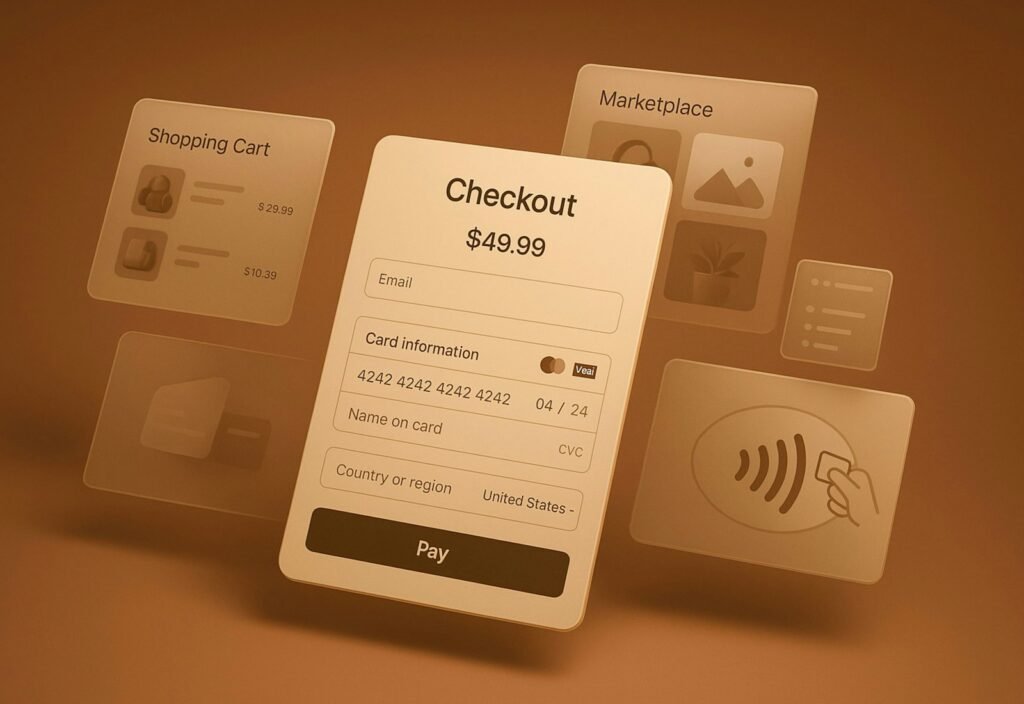
Checkout is where platform differences turn directly into revenue.
Shopify
- A checkout refined across an enormous volume of transactions
- Accelerated wallets and one-click flows are handled for you
- Consistently fast and reliable under load
- Deep checkout customisation is reserved for Plus
Watch out: If your model needs unusual checkout logic below Plus, you will be fighting the platform.
WooCommerce
- Every step of checkout can be changed
- Any gateway you like, on the commercial terms you negotiate
- Complex fulfilment, quoting and B2B flows are possible
- Conversion quality is a direct function of the build
Watch out: A custom checkout that nobody conversion-tests usually underperforms the hosted one it replaced.
If checkout is where you suspect revenue is leaking, that is a measurement question before it is a platform question.
THE EDGE — SHOPIFY
For standard direct-to-consumer trading, Shopify checkout is a genuine advantage and is difficult to beat with a custom build. WooCommerce wins only where the flow itself has to be different.
ROUND 07
2 min
Scale, large catalogues and B2B
Scale is not only traffic. It is catalogue size, variant complexity, integrations and how many people are editing at once.

Both platforms scale. The constraints appear in different places.
Shopify
- Handles traffic spikes without you doing anything
- Variant and API limits are documented and predictable
- Plus adds B2B, multi-store and checkout extensibility
- Multi-currency and multi-market trading are well supported
Watch out: Very large or highly attributed catalogues can hit structural limits that only Plus or workarounds resolve.
WooCommerce
- No platform-imposed catalogue or attribute limits
- Complex B2B pricing and account logic can be modelled directly
- Scales as far as your hosting and engineering allow
- Direct database access makes deep integrations straightforward
Watch out: Large WooCommerce catalogues need deliberate engineering: caching, indexing and query discipline are not optional.
THE EDGE — DEPENDS ON CATALOGUE
For a conventional catalogue with heavy traffic, Shopify scales with less work. For an unusual catalogue or genuine B2B complexity, WooCommerce removes ceilings that Shopify enforces below Plus.
ROUND 08
2 min
Switching cost and what happens if you leave
Almost nobody weighs this at the point of choosing, and almost everybody regrets that later. Platform decisions are reversible, but the price is paid in organic visibility and engineering time.

The cost of leaving is part of the cost of choosing.
Shopify
- Products, customers and orders export cleanly enough
- Themes, apps and metafield structures do not travel
- Fixed URL patterns mean a move always needs a redirect map
- Historic content and blog structure usually need rebuilding
Watch out: The app layer is the part that hurts: functionality you rented has to be rebuilt or replaced.
WooCommerce
- You hold the database and the files outright
- URL structure can be preserved on a move, which protects rankings
- Content, media and taxonomies migrate as WordPress data
- Custom code is portable if it was written cleanly
Watch out: Ownership is only useful if the build was documented. Undocumented custom work is its own lock-in.
THE EDGE — WOOCOMMERCE
Owning the data lowers the exit cost materially. Whichever you choose, keep a current export and a documented URL structure from day one, and the decision stays reversible.
- Decision framework
Weight the factors that apply to you
Rather than scoring features, score the things about your own business that make one platform expensive and the other cheap.
If this is true of you
How heavily to weight it
Which way it points
No developer, and no budget to retain one
Decisive
Shopify
Organic search is your main acquisition channel
High
WooCommerce
You need to be trading within a quarter
High
Shopify
Products need pricing or configuration logic
High
WooCommerce
You sell into several countries and currencies
Medium
Shopify
You already run WordPress well internally
Medium
WooCommerce
Checkout conversion is your biggest known gap
Medium
Shopify
You expect to move platform again within two years
Medium
WooCommerce
A framework, not a scoring formula. Two brands with identical answers can still reasonably choose differently.
Score the decisive rows first
If any row marked decisive applies to you, it usually settles the question on its own. Work down from there rather than totalling everything equally.
Break ties on maintenance
When the two columns come out level, choose the platform whose ongoing work you can genuinely resource. That is the assumption most likely to be wrong in a year.
Plan the exit at the start
Keep a documented URL structure, a current data export and a written record of custom work. It costs almost nothing now and makes a future move survivable.
- Next steps
Where to go once you have decided
Each of these pages assumes you have made the platform choice and want to know what running it involves.
01
IF YOU CHOSE SHOPIFY
How we build, run and grow Shopify and Shopify Plus stores, from theme work to merchandising and reporting.
02
IF YOU CHOSE WOOCOMMERCE
Store management, maintenance, performance and growth work for WooCommerce stores on WordPress.
03
IF YOU ARE MIGRATING
Replatforming and migration work scoped with SEO involved from the start, so redirects and architecture are planned first.
04
IF YOU ARE STILL UNSURE
We review your store, channels and data and tell you whether the platform is genuinely the constraint on growth.
- Questions
Shopify vs WooCommerce FAQs
The questions we are asked most often once a brand has read the comparison.
Is WooCommerce actually free?
The plugin is free. The store is not. You will pay for hosting capable of running eCommerce, for premium extensions covering shipping, subscriptions or payments, and for the developer time that keeps everything patched and fast. For most brands the three-year total lands in a similar range to Shopify, with the money going to different places.
Which one is better for SEO?
WooCommerce gives you more technical control, particularly over URL structure and content architecture. Shopify gives you excellent hosting performance and sensible defaults with fewer ways to break things. In practice the site with better category content, product pages and internal linking wins, whichever platform it sits on.
Can I move from Shopify to WooCommerce, or the other way?
Yes, and both directions are common. Products, customers and orders migrate reasonably well. What does not migrate is your theme, your apps or your integrations, so budget for rebuilding functionality rather than moving it. The critical piece is a redirect map, because URL structures differ and a careless migration loses organic traffic that takes months to recover.
Does Shopify really lock you in?
Not in the sense of holding your data, which you can export. The lock-in is practical: the app layer, the theme and the fixed URL structure. Leaving means rebuilding functionality and remapping URLs. WooCommerce lock-in is different and just as real, because undocumented custom code is difficult for anyone else to take over.
Which platform is faster?
Shopify is faster more reliably, because hosting and infrastructure are handled for you. A well-built WooCommerce store on good hosting can match or beat it. A typical WooCommerce store carrying a page builder and thirty plugins will not. Speed is a build question on WooCommerce and a given on Shopify.
What about B2B or wholesale?
WooCommerce models complex B2B pricing, quoting and account hierarchies without fighting the platform. Shopify covers B2B properly on Plus. Below Plus you will be relying on apps, which works for simpler wholesale but becomes fragile as the rules get more specific.
Do you have a preference as an agency?
No, and we run both. Our commercial interest is in the store performing, not in which platform it sits on. Where we hold partner status it is listed on the partners page, and it does not change what we recommend.
What if I have already chosen and it is not working?
Replatforming is expensive and frequently solves the wrong problem. Before you move, get a free eCommerce audit: in most stores we review, the constraint turns out to be traffic quality, product page content or retention rather than the platform underneath. It is also worth running the Shopify profit calculator on your current numbers first — the app stack is more often the problem than the platform.
- Related services
The teams behind either choice
Whichever platform you land on, these are the services that make it perform.
Theme development, merchandising, apps and growth work for Shopify and Shopify Plus stores.
Maintenance, performance, extension management and growth work for WooCommerce on WordPress.
Category architecture, product page content and technical work that applies on either platform.
- Keep reading
Related guides and comparisons
Where to go next if this comparison answered your question but raised another.

GUIDE
What to do about the URL constraints, collection pages and duplicate paths described in round four.

COMPARISON
The marketplace equivalent of this decision, compared on demand, fees, advertising and operational load.

INSIGHT
How to work out whether the platform is your constraint before you spend anything on replatforming.
Not sure the platform is the problem?
Most stores we review are held back by traffic quality, product pages or retention rather than the platform underneath. A free audit will tell you which, before you spend a replatforming budget finding out.